
Need to know who received your delivery?
Once your goods have been delivered, you may need to know who signed for them or send confirmation to your customer. That’s what proof of delivery, usually called a POD, is for.
If you use the ACS customer portal, you can find delivery updates and download the POD from the booking once it’s available. Here’s where to look and what to do if you need a hand.
What does proof of delivery show?
A POD records the delivery. Depending on the information supplied, it may show the date and time, the name of the person who received the goods, their signature and any delivery notes or photographs.
It’s useful when the person who booked the courier isn’t at the delivery address. You might be sending a part to an engineer, equipment to a site or an order straight from your supplier to your customer. The POD helps you follow up with the right person once the goods arrive.
A signature records receipt, but it doesn’t necessarily mean the contents of every box have been checked. If you’re checking an item count or a possible shortage, compare the POD with the order and the receiving team’s records.
How to find your POD in the ACS portal
If your business has portal access, open the ACS customer portal page and follow the sign-in link.
- Sign in. Enter the email address registered with ACS and use the link sent to your inbox.
- Find your booking. Search by job number, your reference or postcode. You can also use the diary filters to find an older delivery.
- Open the job. You’ll see the latest delivery updates and any available documents.
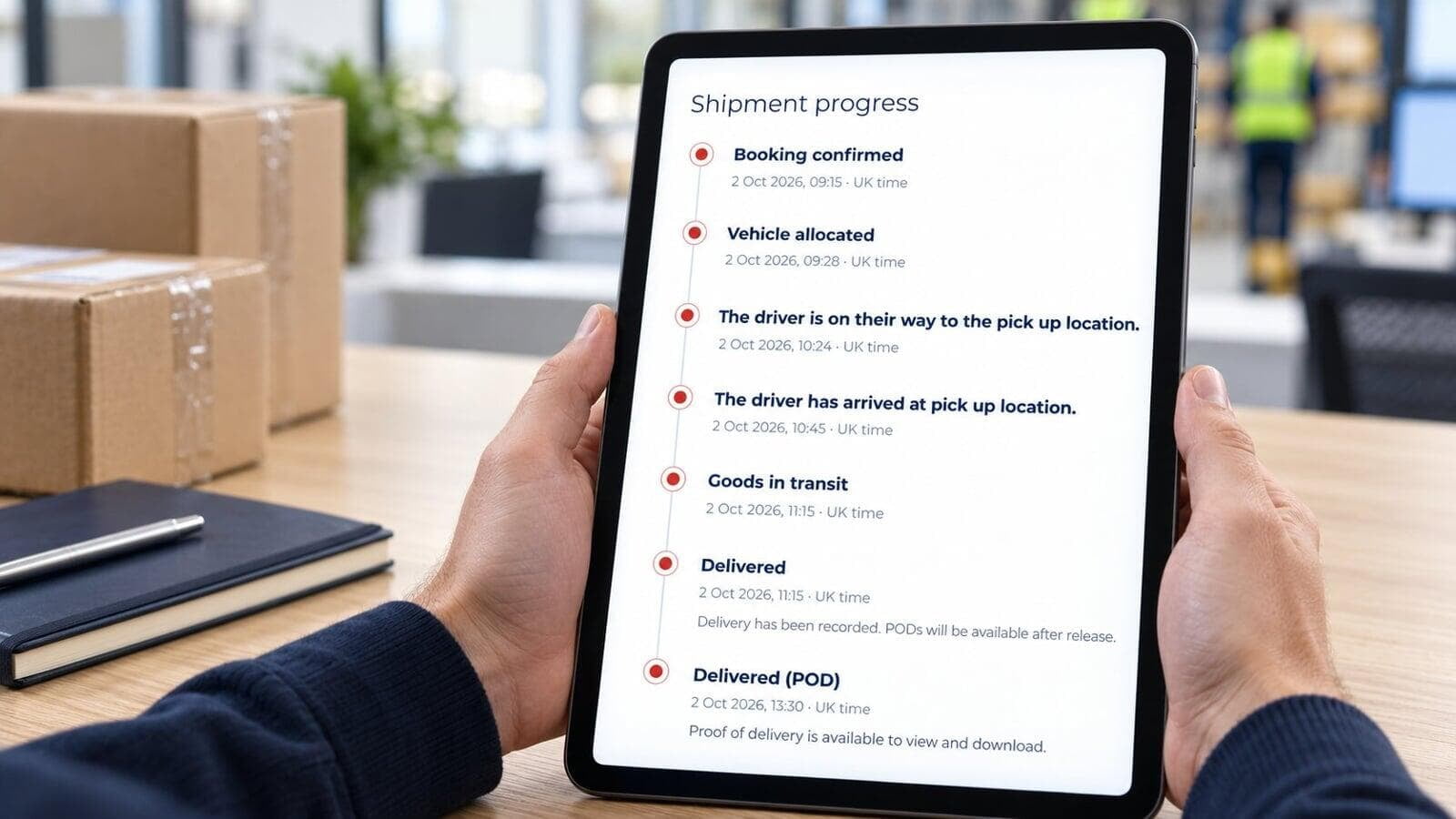
- Download your POD. Once it has been received and released, you can view it and save a copy from the booking.
If you don’t have portal access, contact us with your booking reference and we’ll help you get the delivery record. We can also arrange access for colleagues who need to manage your company’s bookings.
The job says “Delivered”, but there’s no POD yet
This can happen when we receive confirmation of delivery before the POD document is ready. The delivery status can therefore update before the file is available to download.
If you’re waiting for the document, select Request an update in the booking or contact us with the job reference. Let us know if you need it to answer a customer’s question or complete your own paperwork.
Checking progress before delivery
The booking also shows the latest updates received for the job. These help you follow its progress from collection through to delivery.
Updates and estimated arrival times depend on the information available and may not refresh continuously. If a team is waiting for the goods and you need a current update, use Request an update or give us a call.
What if you don’t recognise the recipient?
At a busy site, goods may be signed for by someone in reception, security or the goods-in team. Start by checking the name on the POD with the delivery contact.
If the goods still can’t be found, get in touch with ACS. Have the job reference ready and tell us what doesn’t match—for example, an unfamiliar name, a different delivery location or fewer packages than expected. That gives us somewhere useful to start.
If the receiving team finds damage or a shortage, ask them to note what they’ve found and keep any relevant photographs and packaging. Contact us promptly so we can look into it.
A few details that help at delivery
When you book, include the order reference, the number of cartons or pallets and the person or department expecting them. Let the receiver know the delivery is coming, especially if you’re arranging it on someone else’s behalf.
If the goods must go to a particular person, or you need something specific recorded on the POD, tell us before collection so we can agree the arrangements.
Once you’ve downloaded the POD, save it with the order or job reference. It’s much easier to answer a question later when the paperwork is together.
Need help finding a delivery record?
Visit the ACS customer portal page to sign in or ask about access. For help with an existing job, call 01234 385970 with your booking reference.